AI Want to work smarter with AI? See how Agentforce fits your business.

Get Started

Clari Salesforce Integration

Keep forecasts grounded in the Salesforce pipeline your team trusts

Clari Salesforce integrate so forecasts match the pipeline reps update daily. Bring opportunity changes, stage notes, and risk signals into one view, cutting reviews and keeping leaders ready for planning.

Integration gaps this Clari Salesforce connection helps close

Forecast Drift

Challenges

Salesforce stages change daily, but forecast calls rely on stale exports. Clari needs current opportunity fields to flag risk before commits shift unexpectedly each week.

Solution

  • Sync opportunity stage, amount, and close date
  • Highlight recent field changes inside Clari views
  • Route risk signals to forecast reviewers daily
  • Reduce spreadsheet exports with live pipeline data

Activity Blindspots

Challenges

Buyer conversations happen in email and meetings, yet Salesforce often misses logs. Clari pipeline inspection weakens when activities are not linked to the right opportunities.

Solution

  • Capture emails and meetings as Salesforce activities
  • Associate activities to opportunities using matching rules
  • Use Clari activity signals in inspection views
  • Audit missing logs with weekly reports quickly

Field Sprawl

Challenges

Teams add custom opportunity fields in Salesforce, but Clari users cannot see them in grids. Key qualification data stays hidden during pipeline reviews too often.

Solution

  • Select required Salesforce fields for Clari layouts
  • Control field order for faster reviews today
  • Map custom fields with clear data types
  • Limit writeback to approved fields only always

Ownership Confusion

Challenges

Reps edit deals in Clari while admins enforce Salesforce validation. Without clear writeback rules, updates overwrite each other or fail, leaving exceptions for RevOps daily.

Solution

  • Define read-only fields versus writeback fields early
  • Use a dedicated Salesforce integration user account
  • Respect Salesforce validation and required fields rules
  • Log sync errors for quick troubleshooting work

Bring clarity to revenue calls with Clari Salesforce integration

What You Can Achieve With This Clari Salesforce Integration

Cleaner Commit Reviews

Forecast meetings start with the same opportunity numbers from Salesforce. Clari flags changes since last review, so leaders focus on decisions, not data debates anymore.

Faster Deal Inspection

Reps see stage history, activity signals, and notes beside each Salesforce opportunity. Managers spot stalled deals earlier and ask questions during one on one check-ins.

Consistent Field Visibility

Custom Salesforce fields appear in Clari views your team uses daily. Reviews include qualification, next steps, and details without switching tabs or building new reports.

Fewer Sync Exceptions

Writeback follows Salesforce rules so required fields stay valid. When updates fail, Clari records the reason, helping RevOps resolve issues quickly and keep forecasts steady.

Departments that benefit from connected Clari Salesforce data

Sales leaders need a forecast they can defend. They review Salesforce opportunity changes and want context without extra exports. Clari brings those updates into the review flow.Revenue operations owns field definitions and validation. They want Clari views to match Salesforce layouts and permissions. Finance uses the same numbers for planning each quarter end.

Driving Change for Growing Companies with Salesforce Services

Majorkey

We used Folio3 over the last 3+ years for many projects, including org merges, complicated workflows and enhancements. Folio3 is was very detailed in the work. They are experts. They can explain complicated tasks so even the novice in the room can understand. Appropriate and reasonable timelines are assigned so that there are no issues with any tasks for transition. The project closed without any hang ups or hold ups and we continue to do enhancements on the application with Folio3.

testimonial-sunhero-logo

Sunhero

Folio3 did a great job in scoping the request and keeping communication going throughout the task
This was a very ambiguous request and they managed to troubleshoot the issue and explore different options. I would hire them again

How Clari and Salesforce Integration Works Today

Conceptual data flow overview here

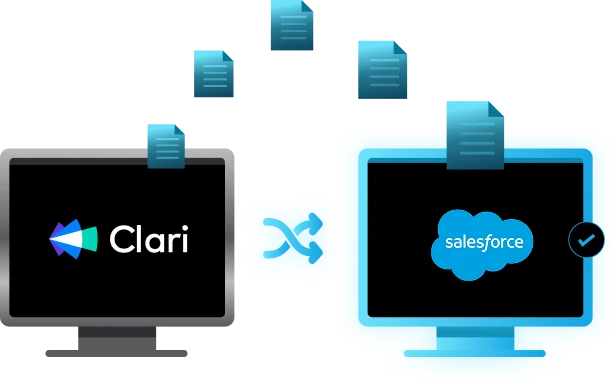
Clari pulls Salesforce data for accounts, contacts, and opportunities, then builds pipeline views and forecasts. Optional writeback pushes approved field edits from Clari into Salesforce, using API access and permissions.

Most teams start with one way sync from Salesforce to Clari for reporting. Two way sync adds controlled writeback for select fields, while Salesforce remains the primary system of record.

Updates trigger when Salesforce fields change or when users submit edits in Clari. Mapping rules decide which opportunity stages, amounts, and dates refresh, and which fields can write back safely.

If both systems change the same field, Salesforce validation and last update timing guide the outcome. Exceptions are logged for admins, who can correct data and rerun sync quickly afterward.

better-contact-lead-management-tab-img

What Data Syncs in Clari Salesforce Integration Scope

Clari relies on Salesforce as the pipeline source, so object scope and field mapping matter. Before setup, decide which teams need read access, which fields allow writeback, and how often updates should run to match your forecast cadence each week.

sales-cloud

Objects synced

Salesforce accounts, contacts, users, and opportunities commonly sync into Clari for pipeline views. Opportunity line items or custom objects may require added mapping, depending on your Salesforce data model today.

service-cloud

Activity data

Clari can use Salesforce tasks and events to show engagement signals. If your org logs email and meetings through Groove or another tool, confirm they land on the right records.

marketing-cloud

Custom fields

Custom opportunity fields can appear in Clari layouts when included in the CRM field set and mapped. Keep data types consistent, and avoid text fields that do not render well.


How to Step by Step Integrate Clari Salesforce

Setting up Clari with Salesforce starts by securing API access and choosing a Salesforce integration user. Next, map the opportunity fields your forecast depends on, then test sync results. Plan a short pilot before rolling changes to all teams companywide.

Follow these steps to connect both systems:

  1. In Salesforce, create an integration user with API access, read permission on required objects, and edit permission only for fields you want written back. Record the user profile and login.
  2. In Clari admin settings, select Salesforce as your CRM connection and authorize with the integration user. Choose the correct Salesforce production or sandbox org and confirm the connected status screen.
  3. Set your object scope: accounts, contacts, users, and opportunities at minimum. Map key opportunity fields like stage, amount, close date, forecast category, and any custom fields used in reviews weekly.
  4. Decide which fields are read only and which allow writeback from Clari to Salesforce. Set refresh timing, then run an initial sync and verify sample opportunities in both systems first.
  5. Review sync logs for errors from Salesforce validation rules, required fields, or picklist mismatches. Adjust mappings, retrigger sync, and document governance for field changes so RevOps keeps control moving forward.

Limitations and configuration considerations:

  • Salesforce validation rules can block Clari writeback updates at save.
  • Picklist values must match across both systems for sync success.
  • Restricted fields need explicit permission for the integration user only.
  • Large orgs can require staged backfills to avoid API limits.
  • Field renames in Salesforce require remapping in Clari layouts promptly.

Improve forecast accuracy with shared Clari Salesforce data

Increase resolution speed with shared customer records
Our Insights

Frequently Asked Questions (FAQs)

Connect Clari to Salesforce with an integration user, map opportunity fields, and set refresh timing. Use controlled writeback only for approved fields and teams first.
Most deployments sync accounts, contacts, users, and opportunities so pipeline views stay current. Add line items or custom objects only when your model requires them.
Yes, when you allow writeback for selected fields and grant permission to the integration user. Salesforce validation still applies, so test required fields and picklists.
Set sync timing in Clari to match forecast cadence and Salesforce API limits. Monitor sync logs for failures so missed updates are corrected before reviews.
Common issues include picklist mismatches, missing field permissions, and validation rule failures. Fix them by aligning values, updating access, and rerunning a test sync cycle.