AI Want to work smarter with AI? See how Agentforce fits your business.

Get Started

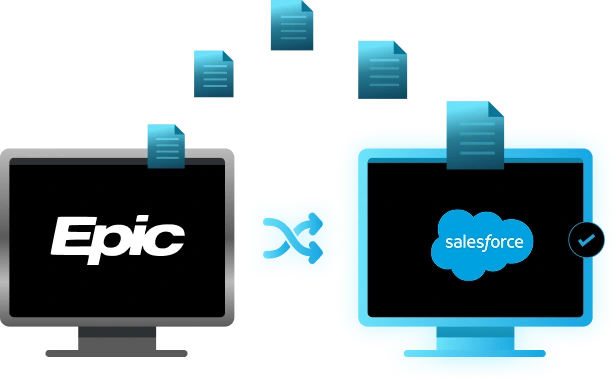
Epic Salesforce Integration

Connect Salesforce and Epic. Stop Managing Two Systems.

When your sales team lives in Salesforce and operations run on Epic, data gets fragmented and updates get manual. An Epic Salesforce integration syncs both systems in real time, so every team sees the same customer truth.

EPIC-integration

Common Challenges with Epic and Salesforce Integration

Data Lives in Two Places

Challenges

Your sales team works in Salesforce. Operations lives in Epic. Neither system sees what the other does. Deals get researched twice. Customer context gets scattered.

Solution

  • Sales updates Salesforce, operations don't know
  • Epic policy changes don't reach sales reps
  • No single customer view across systems
  • Manual email updates become the sync method

Real-Time Data Sync

Challenges

An Epic Salesforce integration automatically syncs customer data, deals, and policies between systems. Updates in one platform instantly appear in the other. No manual entry. No delay.

Solution

  • Bi-directional account and contact sync
  • Opportunities automatically map to policies
  • Activity logs stay unified across both systems
  • Renewal dates sync automatically from Epic

Manual Opportunity-to-Policy Workflow

Challenges

A deal closes in Salesforce. Operations team has to manually create a policy in Epic. Days pass. Details get lost. Commission data doesn't match. Revenue recognition gets delayed.

Solution

  • Sales closes deal, sends email to ops
  • Ops re-enters deal details into Epic manually
  • Errors creep in during re-entry
  • Commission calculations get disputed

Automated Opportunity Mapping

Challenges

When a deal closes in Salesforce, the Epic Salesforce integration automatically creates a matching policy in Epic with all deal details pre-populated. Operations sees the policy instantly. No re-entry. No errors.

Solution

  • Closed opportunities auto-convert to policies
  • Deal amount, premium, and coverage sync automatically
  • Commission data matches across systems
  • Setup time drops from hours to minutes

Enterprise-Grade Data Sync Between Epic and Salesforce

Operations leaders eliminate manual data entry between Epic and Salesforce. Reps spend less time updating records and more time selling. Accurate policy data flows automatically—no delays, no duplicates, no friction.

Enterprise-Grade Data Sync Between Epic and Salesforce

What You Can Achieve With Epic Salesforce Integration

Unified Customer View

Sales sees Epic policy history in Salesforce. Operations sees Salesforce pipeline activity in Epic. One source of truth means faster decisions and fewer mistakes.

Faster Deal Execution

No re-entry delays. No duplicate data entry. No back-and-forth emails. Deals move through your pipeline and into operations without friction.

Accurate Commissions

Commission calculations pull real data directly from Salesforce through Epic Salesforce integration. No disputes. No reconciliation headaches. Finance and sales agree on numbers.

Automated Renewals

Your Epic Salesforce integration automatically creates renewal opportunities in Salesforce when policies approach expiration. Sales knows what to work. Renewals don't slip.

Complete Compliance Audit Trail

Every policy change, customer interaction, and deal update syncs between systems automatically. Regulators get the complete audit trail they need without manual data gathering.

Reduced Operations Overhead

Your operations team stops re-entering data. One integration replaces hours of manual sync work per week. Staff focus on serving customers instead of managing spreadsheets.

How Epic Salesforce Integration Helps Your Business

The right Epic Salesforce integration connects your entire agency—from sales closing deals in Salesforce to operations managing policies in Epic. Here's what a mature integration delivers.

Bi-Directional Contact and Account Syncing

Epic and Salesforce records sync bidirectionally. Phone, email, address auto-populate. Eliminates duplicates, keeps data fresh.

Sales activities sync automatically from Salesforce to Epic. Operations sees complete communication history without re-entry.

Maps custom fields between systems. Carrier-specific requirements, line-of-business rules, conditional logic all stay intact.

Integration knows which system is source of truth. Stale records never overwrite recent updates.

Closed opportunities automatically create matching Epic policies. Deal details pre-populate. No manual re-entry.

Policy expirations automatically create renewal opportunities. Sales team knows what's coming due. No renewals slip.

Driving Change for Growing Companies with Salesforce Services

Majorkey

We used Folio3 over the last 3+ years for many projects, including org merges, complicated workflows and enhancements. Folio3 is was very detailed in the work. They are experts. They can explain complicated tasks so even the novice in the room can understand. Appropriate and reasonable timelines are assigned so that there are no issues with any tasks for transition. The project closed without any hang ups or hold ups and we continue to do enhancements on the application with Folio3.

testimonial-sunhero-logo

Sunhero

Folio3 did a great job in scoping the request and keeping communication going throughout the task
This was a very ambiguous request and they managed to troubleshoot the issue and explore different options. I would hire them again

Why Choose Folio3 for Salesforce Epic Integration

Deep Integration Expertise

50+ Epic and Salesforce integrations. We know where data breaks.

Data Governance First

Salesforce stays system of record. Epic enriches. You control what syncs.

Post-Launch Support

Monitor integration for 30 days. Catch anomalies early. Optimize field mappings.

Your System, Your Rules

We build around your actual workflow. Not a template.

Why Choose Folio3 for Salesforce Epic Integration

How We Build Your Epic Salesforce Integration

Discovery
& Audit

Evaluate Salesforce and Epic setups. Map all relevant data fields.

Integration
Architecture

Design sync logic. Define conflict resolution rules. Create field mappings.

Integration
Build

Build integration. Test thoroughly with real data. Validate all syncs.

Production
Deployment

Deploy with pilot first. Monitor performance. Gather feedback before rollout.

User
Training

Document workflows. Conduct live training for sales, operations, finance teams.

Ongoing
Support

Monitor integration continuously. Handle sync exceptions. Optimize field mappings.

Salesforce Epic Integration Use Cases

Real-world scenarios where an Epic Salesforce integration transforms how agencies operate.

For Sales Operations Leaders - Pipeline Clarity

Pull Epic policy metrics into Salesforce dashboards. See status, expiration dates, premiums. Report real signals to leadership instead of guesses.

For Enterprise Sales - Account-Based Strategy

Identify customer needs and coverage gaps within target accounts. Enrich profiles with policyholder information. Sync account hierarchies while maintaining structure.

For Operations Leaders - Reduced Manual Work

Eliminate manual re-entry of opportunity details into Epic policies. Auto-generate policies from closed opportunities. Deal details pre-populate. Save 5+ hours weekly.

For RevOps - Data Quality Control

Fill gaps automatically when Epic or Salesforce records are incomplete. Sync missing email, phone, company size bidirectionally. Improve data quality continuously.

For Compliance and Finance - Audit Trail Visibility

Maintain detailed records of every policy change, opportunity update, customer interaction. Keep complete audit trails. Simplify regulatory compliance reporting.

For Sales Leaders - Honest Forecasting

Populate Salesforce feeds with real engagement signals from opportunities and policies. Forecast based on actual response rates, customer behavior, not assumptions.

What Data Syncs Between Epic and Salesforce

Account & Contact Records

Accounts, contacts, and policies sync bidirectionally. Names, addresses, phone numbers stay synchronized automatically across both systems in real time.

Activities & Attachments

Calls, meetings, tasks, and email logs sync from Salesforce to Epic bidirectionally. Activities initiated in either system accessible by both teams.

Policy & Commission Data

Policy details, coverage types, term dates, and premiums sync as custom objects. Commissions and renewal data flow into Salesforce automatically.


How to Step-by-Step Integrate Epic and Salesforce

Connecting Epic to Salesforce enables bidirectional data sync, eliminating manual record entry and keeping both platforms aligned. Here's how to set up the integration and what to expect.

How to Connect:

  1. Generate API keys in Epic and Salesforce. Grant necessary permissions for read/write access between systems.
  2. Define which Epic fields sync to Salesforce custom fields. Choose sync direction (one-way or bidirectional) per field.
  3. Set real-time, hourly, or daily sync schedules based on your workflow requirements. Test in a sandbox first.
  4. Define conflict resolution rules. Decide which system is the source of truth when data conflicts occur.
  5. Test with a small user group. Monitor sync logs for errors. Validate data accuracy before production rollout.

The Key Benefits

  1. Eliminates manual data entry between platforms.
  2. Keeps policy records current across both systems.
  3. Automates activity logging and attribution.
  4. Reduces data quality issues and duplicates.

Eliminate manual policy entry with unified Epic and Salesforce operations.

Eliminate manual policy entry with unified Epic and Salesforce operations.
Our Insights

Frequently Asked Questions (FAQs)

In Epic, go to Settings, open Integrations, choose Salesforce, then authorize with OAuth. Use a Salesforce user with proper permissions so sync can run for your team.

Epic can sync accounts, contacts, policies, opportunities, and activities when configured. Exact coverage depends on your Salesforce objects, mappings, and selected push or pull settings.

Use matching rules based on policy number and account ID before sync. Map identifiers consistently, then assign owners so Salesforce records route correctly.

Yes, create custom fields in both Epic and Salesforce, then link them in field mappings. Bidirectional sync works for all linked values automatically.

Check sync settings for Activities and confirm mapped fields. Verify the connected Salesforce credential has required permissions. Run a test sync and review error logs.